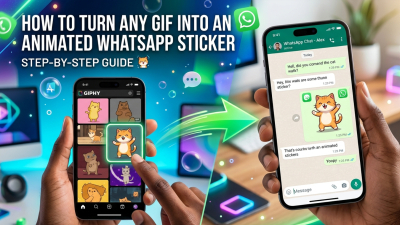
Express Yourself Instantly: How to Create Custom Text Stickers Directly in WhatsApp
Sometimes, generic emojis or pre-made sticker packs just don't cut it. You want to send a specific inside joke, a customized greeting, or an emphatic exclamation—and you want it to pop. The good news? You no longer need to download sketchy third-party apps just to design a simple text graphic. WhatsApp now lets you transform your words into custom text stickers instantly as you type.
Watch the quick tutorial video below to see exactly how it looks in action, or follow our easy step-by-step breakdown right underneath!
Step 1: Open a Chat and Head to Your Sticker Tray
To get started, pull up the application on your mobile device and open any conversation where you want to drop your new custom creation.
- Tap on the sticker icon located right inside the text input box.
- When the new menu screen panel opens up, make sure you are specifically on the Sticker option tab (rather than GIFs or standard emojis).
Step 2: Tap the Search Icon
Once you are looking at your current collection of stickers, look closely for the magnifying glass / search icon. Tapping this icon is the secret key to unlocking the built-in sticker generator engine.
Step 3: Type Your Message and Choose Your Style
Now comes the fun part. In the search box, simply type out the exact word or phrase you want to convert into a graphic asset.
The moment you finish typing, WhatsApp's integrated engine will immediately generate a dynamic lineup of stylized, text-based stickers using your words. They will feature different colors, fonts, and creative layouts to match your vibe.
Pro Tip: Once you see a design you love, just tap it! The sticker sends immediately to the chat thread. Even better, WhatsApp will automatically save this brand-new custom creation straight to your Recent Stickers tray so you can reuse it whenever you want.
Share:

![1000+ Best WhatsApp Stickers List 2026 [Funny, Mood, Reactions]](/storage/blog/media/thumbnail/2026/06/6a37c81091670.jpg)