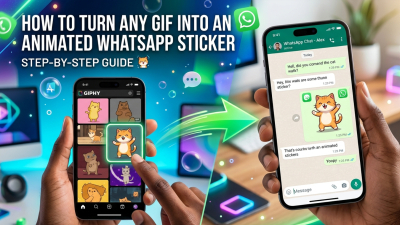
Upgrade Your Group Chats: A Quick Guide to Finding the Best Animated WhatsApp Stickers
We’ve all experienced that high-stakes moment in the group chat: the perfect punchline just landed, the drama is peaking, and you’re desperately digging through your sticker drawer like a manic archivist—only to realize you have absolutely nothing that captures that exact blend of "mildly concerned yet highly entertained." You settle for a basic emoji, and the comedic timing is ruined.
Enter dlstickers, a hidden goldmine of a platform that acts as a premium playground for high-quality, animated WhatsApp stickers (GIFs). If you are ready to graduate from generic reactions and cultivate a top-tier sticker game, here is your roadmap to navigating the site like a pro.
1. Cut Through the Noise with the "Animated GIF" Filter
When you first arrive on the homepage, don't let the massive library overwhelm you. The site is packed with visual content, but if your goal is strictly fluid motion, bypass the static images immediately by looking at the main navigation bar.
Pro Tip: Click directly on the "Animated GIF" tab. This instantly filters out the still images, leaving you with a curated feed of stickers that dance, shrug, face-palm, and wiggle. Less scrolling, more action.
2. Get Hyper-Specific with the Search Bar
Tucked away in the top right corner, the search bar is the most powerful tool at your disposal—if you know how to talk to it. Instead of typing broad, boring terms like "sad," try targeting exact characters or highly specific cultural vibes:
- Pop Culture Icons: Hunt for specifics like "Homer Simpson," "Sailor Moon," or "BT21" to find instantly recognizable animations.
- Hyper-Specific Moods: Use descriptive keywords like "Sassy," "Overwhelmed," or "Sweaty" to unearth those niche reaction GIFs that hit way closer to home.
3. Let the Categories Spark Your Inspiration
If you don't have a specific meme in mind and just want to refresh your digital arsenal, scroll down to the Categories section in the footer or tap the "Categories" dropdown menu. The platform groups content into incredibly useful buckets:
- Reactions: Your go-to folder for when words completely fail you.
- Animals: Because a side-eyeing puppy or a vampire cat is universally applicable to almost any conversation.
- TV & Movies: Ideal for sourcing legendary cinematic moments that double as perfect responses.
4. The Secret Weapon: The "Related Stickers" Grid
Once you stumble upon a golden sticker—let's say, a toddler giving a legendary side-eye—don't just download it and leave. Click into that specific sticker's page and scroll down to the "Related Stickers" grid at the bottom. This is where the real magic happens.
If the algorithm sees you liking a sassy kid, it will serve up three more clips of children looking deeply confused or sipping juice suspiciously. Utilizing this feature allows you to build a cohesive, themed "sticker brand" of your own. Having a consistent visual aesthetic in your chats makes your humor much more recognizable and, honestly, much funnier.
5. Check the Image Specs Before You Commit
Before you enthusiastically click download, take a quick glance at the Image Information box located right on the sticker page. It saves you future storage headaches by breaking down:
- Format: Confirming it’s a true GIF so it actually moves when imported.
- Dimensions: Ensuring the graphic stays crisp and won't turn into a blurry pixelated mess on a phone screen.
- File Size: Highly important if you are trying to manage your phone's storage or save on mobile data!
6. How to Import Them to WhatsApp (The Easy Way)
Gone are the days when you needed sketchy, ad-ridden third-party "sticker maker" apps to customize your tray. WhatsApp now handles this completely natively and smoothly:
- Download your chosen GIF directly from dlstickers to your device's camera roll.
- Open any chat thread in WhatsApp and bring up your sticker panel.
- Tap the "+" or "Create" icon.
- Select the freshly downloaded animation from your gallery, and just like that, it's a permanent asset in your digital arsenal.
Final Thoughts
In modern digital communication, a perfectly timed sticker speaks louder than a paragraph of text. Whether you need to channel a nervous anime character or a dramatic reality TV star, platforms like dlstickers make finding your exact virtual voice effortless. Refresh your collection, step up your timing, and go dominate your next group chat.
Share:
![1000+ Best WhatsApp Stickers List 2026 [Funny, Mood, Reactions]](/storage/blog/media/thumbnail/2026/06/6a37c81091670.jpg)